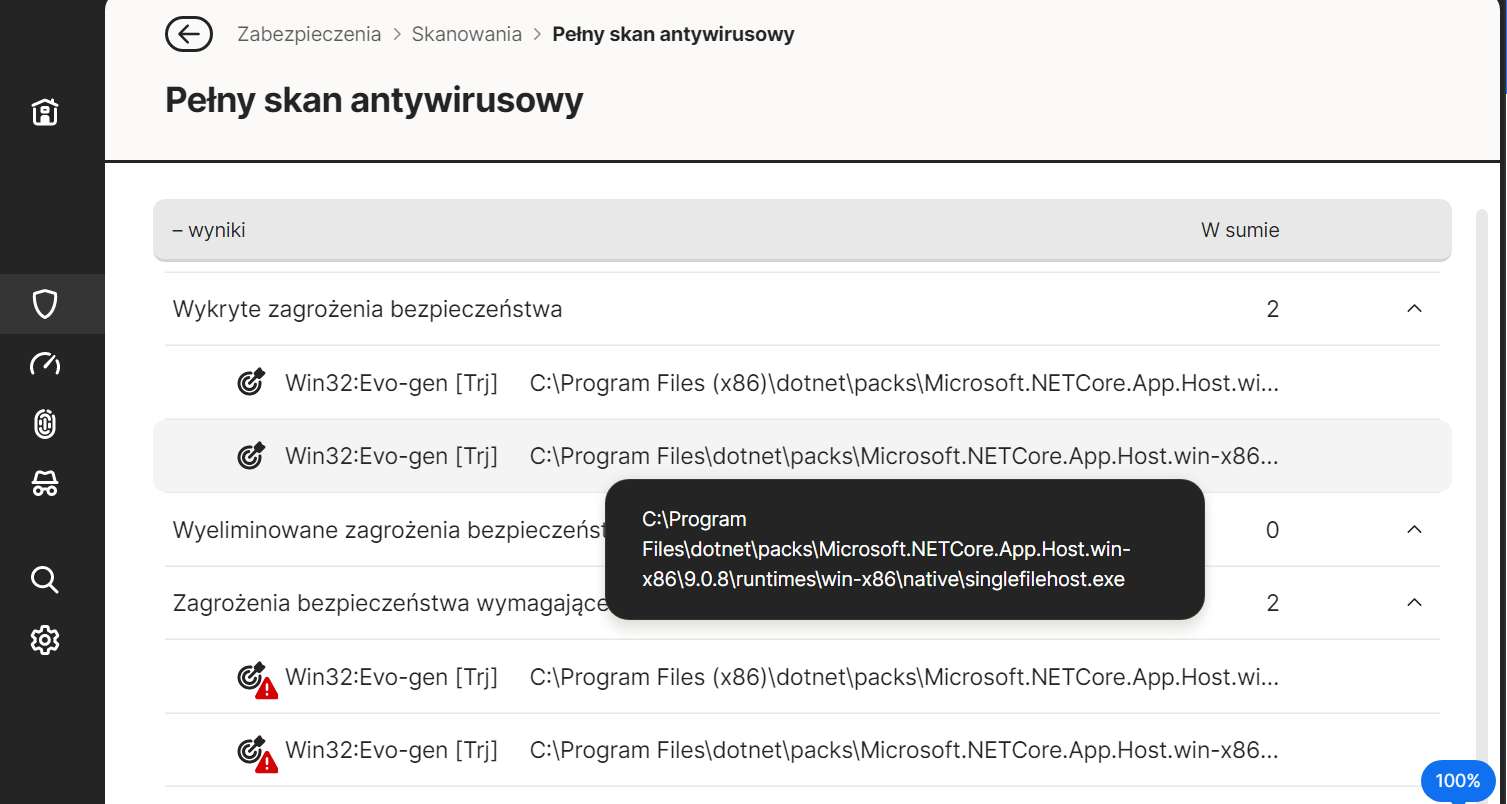
During scanning, Norton detected viruses after yesterday’s update with Windows Update NET 6.0.36 Update for x64 Client (KB5047486), is this a false positive?
Maybe but norton has soon a new norton 360 update ready and the more bugs they see the more it gets delay and it is already delay
Submit a file or URL to Norton for review here
=========================================
https://dotnet.microsoft.com/en-us/download/dotnet/6.0
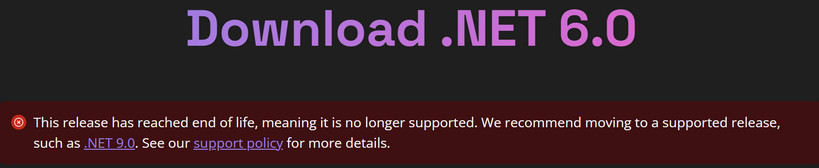
https://github.com/dotnet/core/blob/main/release-notes/6.0/README.md
https://github.com/dotnet/core/blob/main/release-notes/6.0/6.0.36/6.0.36.md
=========================================
fwiw ~
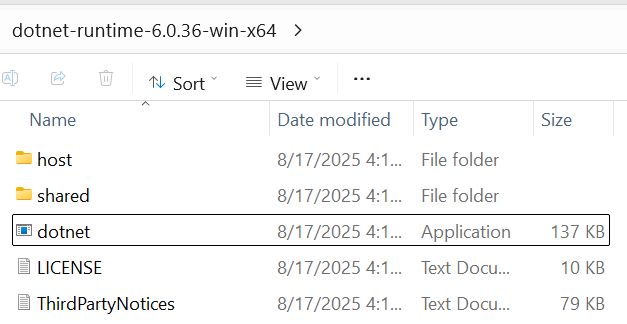
File: dotnet.exe
File size: 136 KB (139,536 bytes)
MD5 checksum: 6E657E9F02705AF1BFF18A9CAA2A462E
SHA1 checksum: E8D25109DE12566441342C173430B82EA236BBD2
SHA256 checksum: D4401F5FBDEA869BB7211B00594746EF6962B7DD2BFCEB749889B920070C3F9F
Date/Time: 8/17/2025
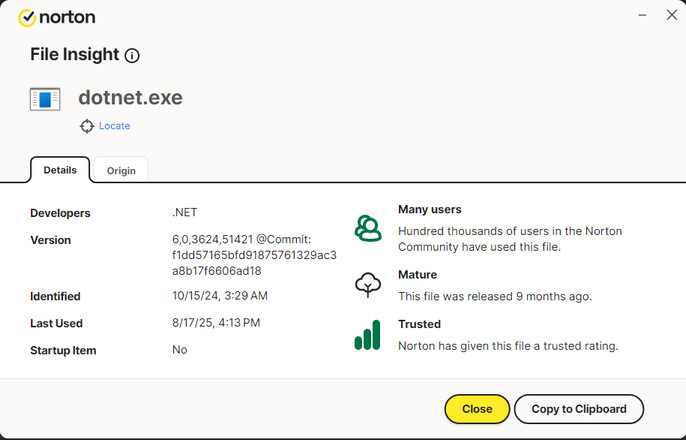
ALL: Norton is most likely nailing this because of its Heuristics detections, the singlefilehost.exe is a package that is known to be utilized by malware developers. Dot Net being introduced within a Windows Update session should NOT be triggering that detection. Triggering changes to the system hosts file is often a reason for A/V to set off a false positive. AI has this to say about the issue:
AI Overview
Antivirus blocking single-file .NET 6 applications on Windows 11: understanding and troubleshooting
If your antivirus on Windows 11 is blocking a single-file application developed with .NET 6, there could be several reasons why this is happening. The single-file deployment model for .NET 6 applications bundles all dependencies, including the runtime and framework libraries, into a single executable. While convenient, this can sometimes trigger antivirus software’s suspicion due to the unusual structure or a possible false positive detection.
Here’s a breakdown of the issue and potential troubleshooting steps:
Why might your antivirus block a .NET 6 single-file app?
False positive: A common reason is that the antivirus’s heuristic scanning flags the application as suspicious even though it’s legitimate. Single-file executables can sometimes be misidentified due to their compressed nature or if the antivirus’s signature database lacks information on this specific file or its components.
Heuristic behavior detection: Antivirus software might employ behavioral analysis, flagging actions like modifying the Windows Hosts file (which can be a legitimate action for some applications, but also a common tactic for malware).
Lack of code signing: Applications that aren’t digitally signed can be viewed with suspicion by antivirus programs.
Modified Hosts file: A modified Hosts file, particularly if done by the application or a related process, can be flagged as a potential threat (SettingsModifier:Win32/PossibleHostsFileHijack). This can happen even if the modification is for a legitimate purpose, like blocking access to certain websites.
Aggressive antivirus settings: Overly strict or hardened antivirus settings can increase the likelihood of false positives.
How to troubleshoot and resolve the issue
Verify if it’s a false positive:
Submit to antivirus vendor: If you suspect a false positive, consider submitting the file to your antivirus vendor for analysis.
Check online databases: Search online antivirus databases like VirusTotal (available within tools like GlassWire) to see if the file has been reported as malicious by other engines.
Temporarily disable or exclude the application (Use with caution):
Disable antivirus temporarily: In a controlled environment (like a virtual machine), you can temporarily disable the antivirus to test if the application runs. However, remember that this makes your system vulnerable, cautions Microsoft.
Add exclusion: You can add the specific file or the directory it’s located in to your antivirus’s exclusion list. Instructions vary depending on the antivirus software. For Windows Defender, navigate to “Virus & threat protection settings” → “Exclusions” → “Add or remove exclusions” and add the file or folder. Microsoft Support says be cautious when using exclusions.
- Note: Excluding a file or folder from scans might be necessary, but this should be done with caution and only for applications you trust.
Check the Windows Hosts file (if relevant):
Locate the Hosts file: By default, it’s located in
%systemroot%\system32\drivers\etc.Exclude from scanning: If the antivirus is flagging the Hosts file, you might need to exclude it from scanning, especially if your application legitimately modifies it. For Windows Defender, follow the steps in the resolution section described in.
Review entries: Carefully inspect the contents of the Hosts file for any unexpected entries. Legitimate entries are typically used for network configuration or blocking malicious domains, notes Microsoft Learn.
Address code signing (if you’re the developer):
- Sign your application: If you’re developing the .NET 6 application, digitally signing it can help build trust with antivirus software and reduce the likelihood of it being flagged as suspicious.
Update antivirus and .NET runtime:
Update antivirus definitions: Ensure your antivirus definitions are up to date, as this might include new signatures that correctly identify your application as safe.
Update the .NET Runtime: Ensure you are using the latest patched version of the .NET 6 runtime, according to Microsoft Learn.
Consider alternative deployment methods:
Framework-dependent deployment: If single-file deployment continues to be problematic, consider using the framework-dependent deployment model. This creates a smaller executable that relies on the .NET runtime installed on the user’s machine.
ReadyToRun and Trim publish options: You can also combine single-file deployment with the ReadyToRun and Trim options to potentially reduce the size of the executable and improve performance.
Important notes:
Be cautious about disabling antivirus or adding exclusions. Only do so for applications you fully trust.
Always keep your antivirus definitions and operating system updated.
If you are developing the application, implement secure coding practices to minimize the risk of vulnerabilities that could be exploited and lead to antivirus detection.
SA
1 Like