Exclude files and folders from Norton scans
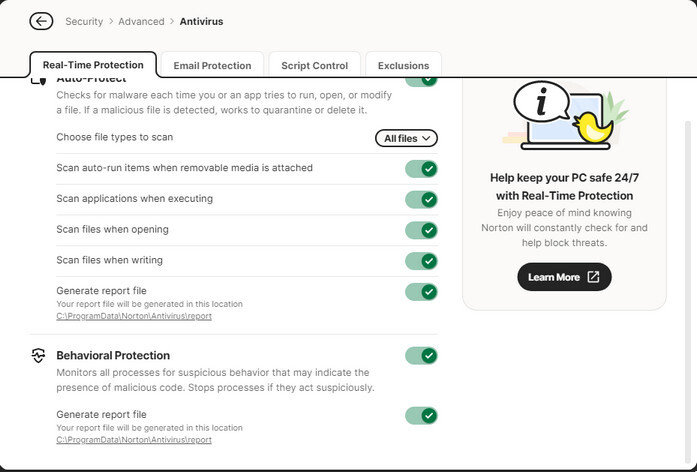
You can configure your Norton product to exclude certain programs from the Auto-Protect and Behavioral Protection scans. When you add a file or folder to the Exclusions list, your Norton product ignores the file or folder when it scans for security risks. https://support.norton.com/sp/en/us/home/current/solutions/v20240108162522348
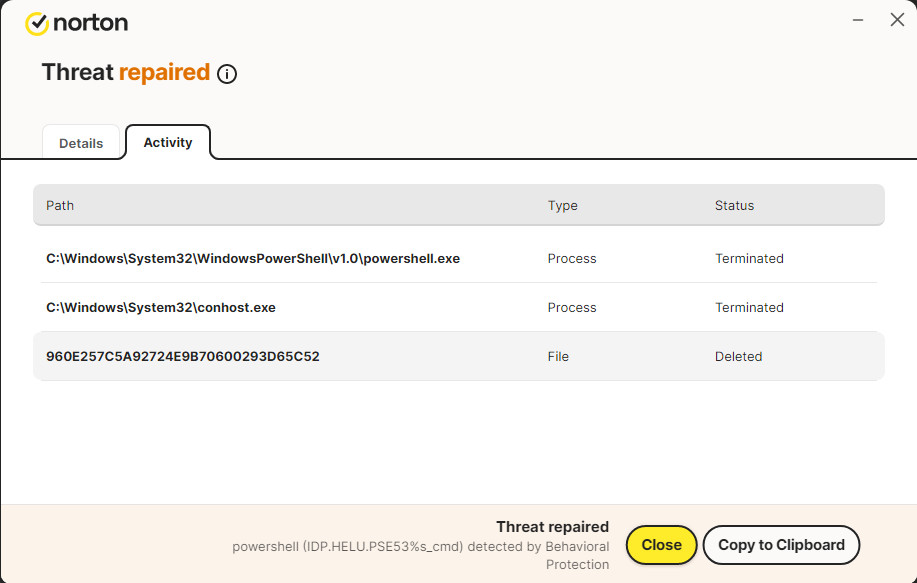
Threat name: IDP.HELU.PSE53%s_cmd
Threat type: Miscellaneous - This is malicious software that could harm your data, computer, or network.
Status: Repaired
Detected by: Behavioral Protection
On PC from: 5/24/25,
Last Used: 10/25/25,
Startup Item: Yes
Many users
Millions of users in the Norton Community have used this file.
Mature
This file was released 8 months ago.
High
The file risk is high.
Activity
Path | Type | Status
C:\Windows\System32\WindowsPowerShell\v1.0\powershell.exe | Process | Terminated
C:\Windows\System32\conhost.exe | Process | Terminated
960E257C5A92724E9B70600293D65C52 | File | Deleted
Threat name: IDP.HELU.PSE53%s_cmd
Threat type: Miscellaneous - This is malicious software that could harm your data, computer, or network.
Status: Repaired
Detected by: Behavioral Protection
On PC from: 30/08/2025, 03:38
Last Used: 24/10/2025, 16:57
Startup Item: Yes
Many users
Millions of users in the Norton Community have used this file.
Mature
This file was released 2 months ago.
High
The file risk is high.
Activity
Path | Type | Status
C:\Windows\System32\WindowsPowerShell\v1.0\powershell.exe | Process | Terminated
C:\Windows\System32\conhost.exe | Process | Terminated
C:\USERS\SJSBL\APPDATA\LOCAL\TEMP__PSSCRIPTPOLICYTEST_PCOOYHTT.JAS.PS1 | File | Deleted
960E257C5A92724E9B70600293D65C52 | File | Deleted
And only on one of my computers. I do a scan and it doesn’t show anything.
Open the Intel exe file (for ex: gfx_win_101.8247.exe) using your archive manager (I use 7-zip). Extract its content to a folder and run Installer.exe from there. It worked for me.
Developers: Intel Corporation
Version: 1.0.1133.2
Identified: 11/1/25,
Last Used: 11/1/25,
Startup Item: No
Very few
Very few in the Norton Community have used this file.
New
This file was released 8 days ago.
Trusted
Norton has given this file a trusted rating.
Origin
Downloaded from: https://downloadmirror.intel.com/868284/gfx_win_101.8247.exe