Note: Please do not post Personally Identifiable Information like email address, personal phone number, physical home address, product key etc.
Issue abstract:
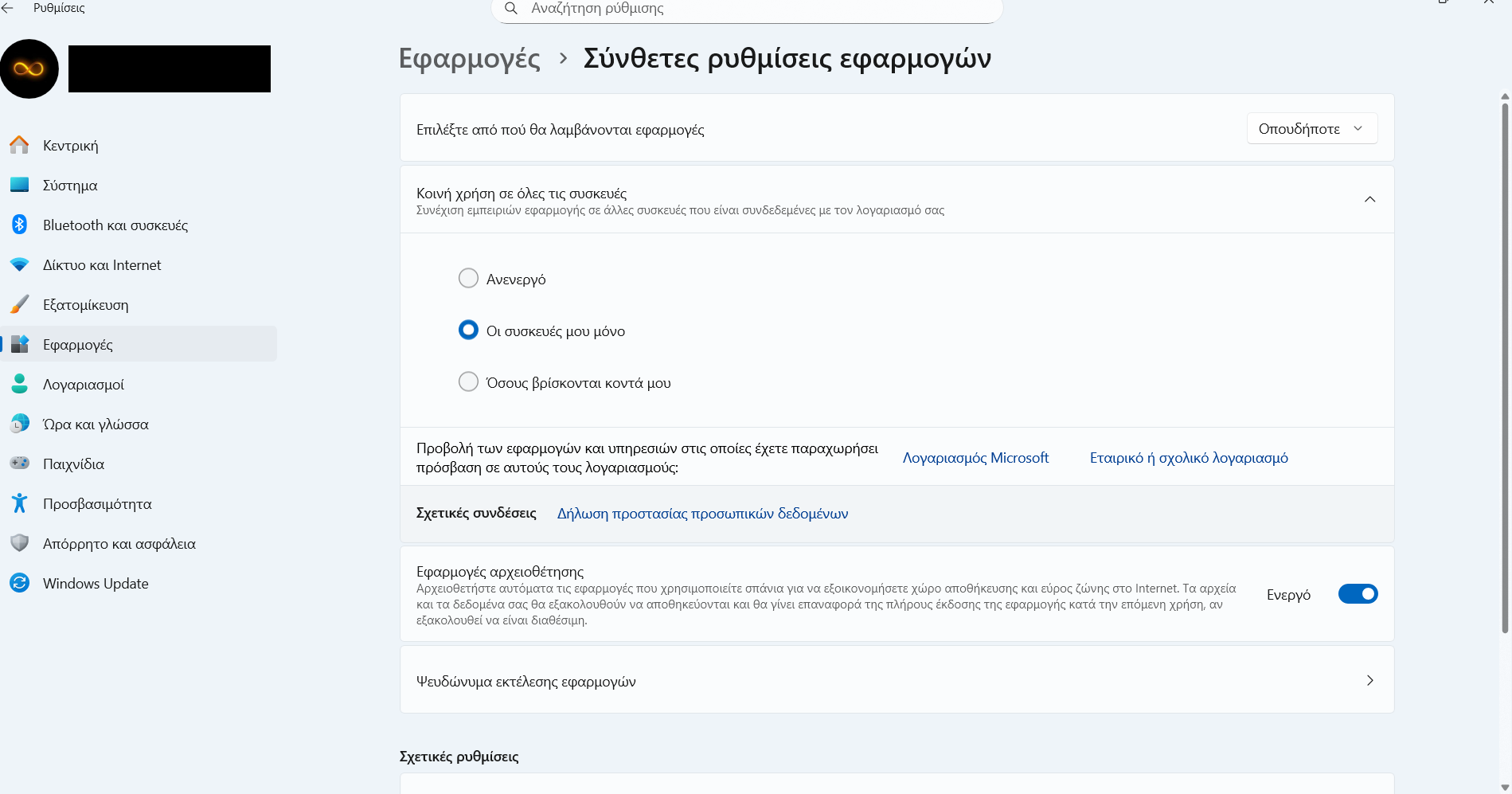
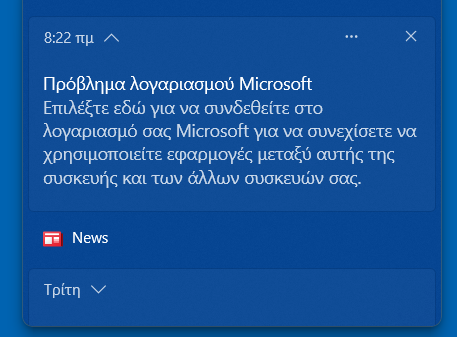
Detailed description:Hello after reinstalling microsoft 365 ( after failure of online repair and using system restore point that was not ‘‘allow me’’ to unistall microsft 365) and sign in to word ,laptop and some other apps when inserting to them, like teams and microsft whiteboard, appear every morning at 8:20 a.m the message (with notifcaton bell) ‘’ account problem, choose to sign in to your
microsoft account to continue using apps between this device and your other devices’‘.This redirect me to apps>advanced apps settings.The Sunday should sign in to the field at first screenshot (i think in english translation is common use or share use with other devices).I sign in.But now every day appears the same ‘‘bell’’ notifcation but without the need to sign in.Today i notice while bell notication (’’ account problem, choose to sign in to your
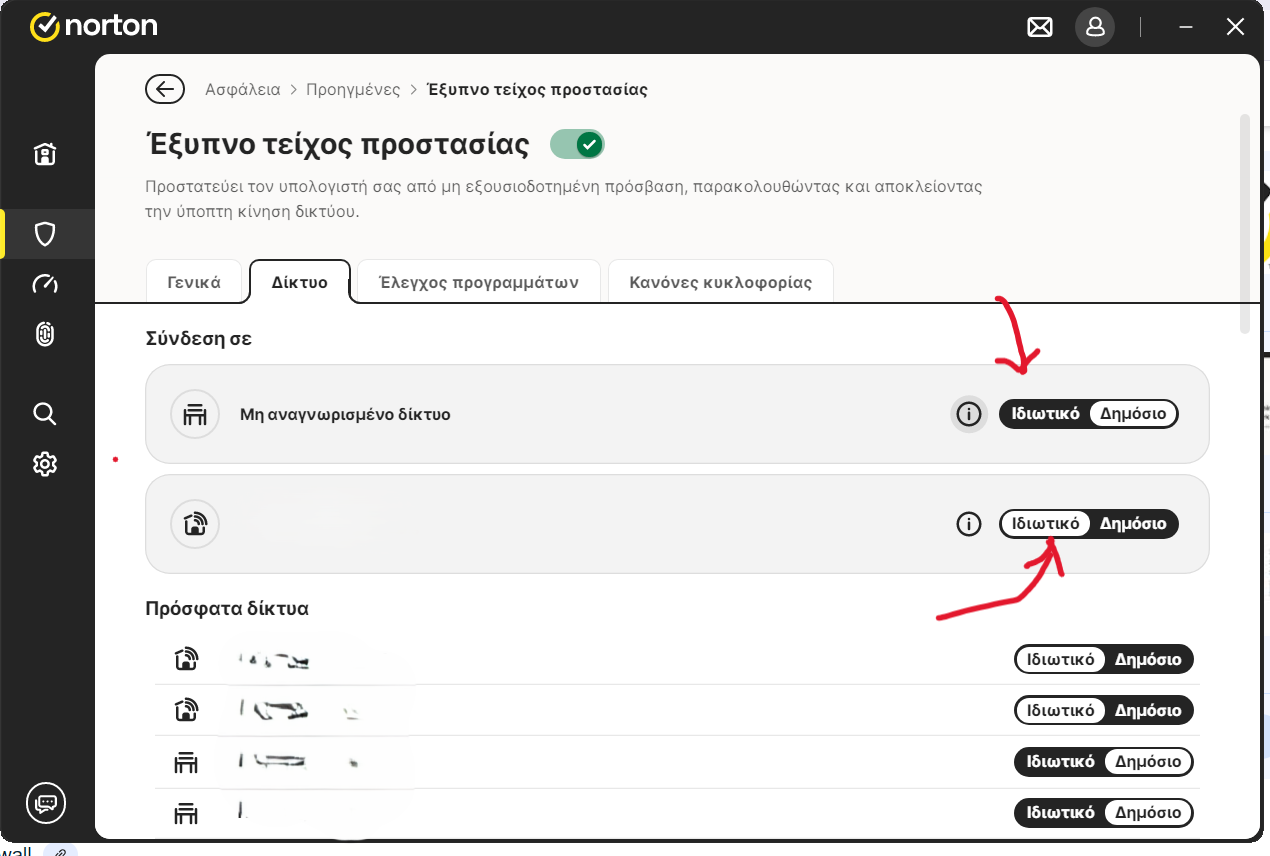
microsoft account to continue using apps between this device and your other devices’’ )redirecting me to the same window: apps>advanced apps settings , a second message in this window :‘‘Some Settings are Managed By Your Organization’’ .I do not know what is that!!!Is due the issues with word?I have not login to any organization!!!Is something with norton network settings???Also i think by mistake change the settings of undefined network/Do you
know which is the default setting?Also the white is the active or the black?
Product & version number:
OS details:
What is the error message you are seeing?
If you have any supporting screenshots, please add them: