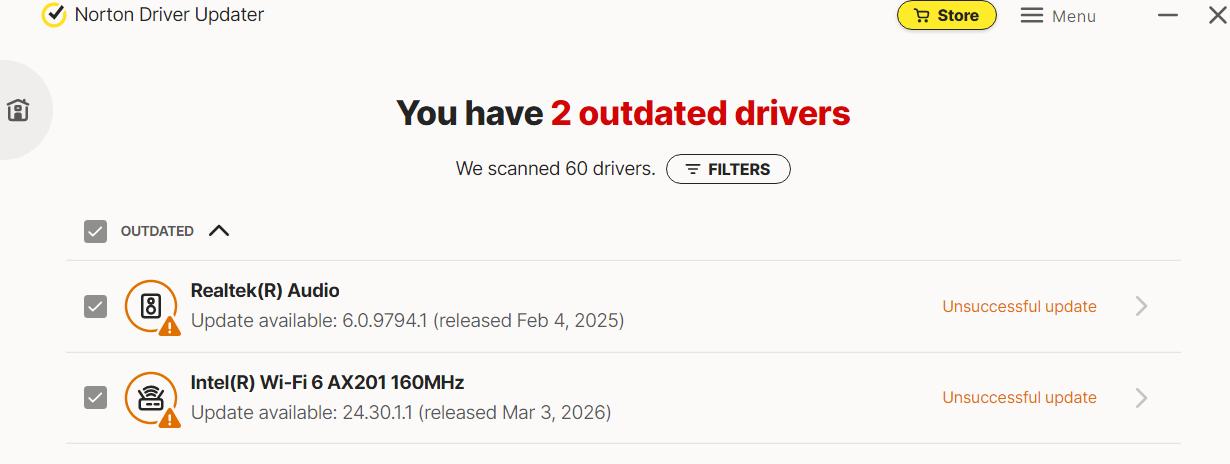
The software downloads some drivers, but not the rest, after highlighting that they need updating on my brand new PC, which is confusing. It shows an unsuccessful error message. I have got an internet connection, and I reinstalled the software twice. I downloaded a few of the drivers; Norton did not update using other software, which I should not need to do, as it defeats the purpose of Norton driver updater, doesn’t it? This indicates there is an error with Norton Driver Updater. How do I fix this problem?
Software updaters are not the ideal way to get your updates. It is best to use the Windows Updates and get your device drivers from your computer manufacturer’s website. The software updaters can give results for a generic driver for a device, while your manufacturer’s site gives drivers designed specifically for your computer.
1 Like
Det er ok at opdatere ting via driver updater men det er ikke smart at opdatere alt via den som windows og grafikort er ikke smart men bundkort og ting som du ikke kan nå selv er jo smart at opdatere