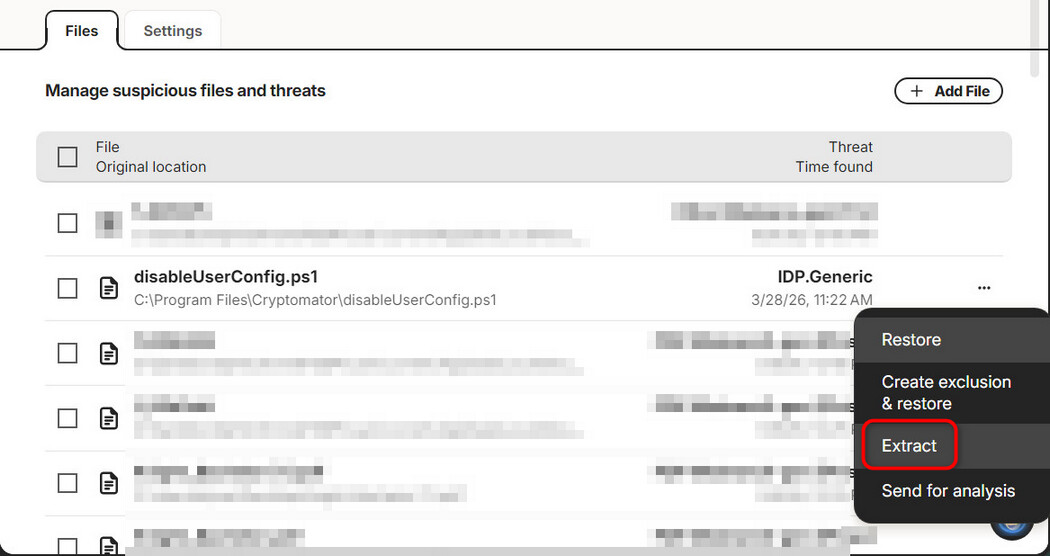
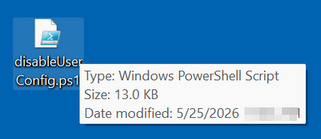
Issue abstract:
When a file has been quarantined because of a false positive, I tried to restore it which failed. After the restore attempt, restore is no longer an option in the menu.
Detailed description:
Lately scans keep flagging files as malware and quarantining them, even though they have been there for years without being detected as malware. I can only speculate that Norton 360 is now using some kind of AI analysis that has many false positives.
Clicking on the context menu dots in either quarantine, or security history for the file

I get the following menu.
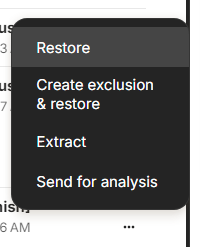
I submitted the file for analysis to report what I believe is a false positive. Then I tried to restore the file. Restore failed and I did not capture the output because I was still trying to understand what was happening and I did not know that the option to restore would go away.
I tried to again restore so that I could capture the output and the menu now looks like this.
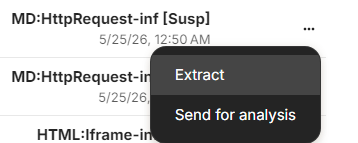
I would like to know how I can restore the file.
Product & version number: Norton 360 26.4.10932 (build 26.4.10932.983)
OS details: Windows 10
What is the error message you are seeing? Unable to restore file.
If you have any supporting screenshots, please add them: