Well said 
Just want to add to the list of issues with the new Norton, I have two that I have noticed so far:
-
When I turn my laptop on each day (I shut it down each night) the first thing I normally do is run a manual live update, followed by a manual Smart Scan. In scan settings I have ‘Smart Scan’ set to manual. However, if I do not run the scan right away, Norton goes ahead and runs it anyway (even though set not to). Once that scan is complete I can no longer run that scan again until I start up my laptop the next day. Actually I had not thought, until just now, to just do a restart after the scan completes to see if that resets it but I will try that next time just out of curiosity. Normally after running it once it lets me run it again as often as I want, now it just says ‘You Are Protected’ with an option to ‘See Details’. It was not doing that for the first week I had the new Norton, it has just started doing it a couple of days ago and I have checked the settings and it is still set to manual. So a similar situation as others have posted about Norton doing things it is set not to do.
-
The other thing I seem to be missing … when I plug my external drive in, the old Norton would ask if I wanted to scan that drive. I would normally click no but then run it once a week at a time convenient to do so. I liked that pop-up because even though I almost always selected ‘Not to Scan’, it served as a reminder to do it occasionally. I am no longer receiving that pop-up when plugging my external drive in and I thought that was just something new, however, I did see someone in this post who posted a screenshot of that pop-up asking how to turn it off so it seems like I should be getting it and yet I am not. I have looked through settings and do not see anywhere to make sure it is turned on so if anyone can direct me to that setting that would be appreciated.
24.10.9535 (build 24.10.9535.882)
1 Like
I agree that patience is a good thing. Norton should have certainly had the patience to wait with this update until it was actually ready and working. That’s their job.
3 Likes
@mandc Indeed so!!
Bonjour,
Je sais que vous êtes présent depuis longtemps et que vous œuvrez pour que l’expérience utilisateur soit la meilleure possible tout comme les autres Gurus (en dehors de moi). Je vous crois lorsque vous dites que les équipes Norton lisent les messages de la communauté et qu’ils ont conscience du mécontentement des utilisateurs.
En ce qui me concerne, je n’ai pas l’intention de partir car comme je l’ai dit récemment, j’ai essayé des solutions concurrentes qui ne me conviennent pas. Comme vous le dites : c’est un choix personnel.
J’ai parfaitement conscience que les produits “Norton” ne sont pas parfaits et que l’on peut les apprécier ou non mais en ce qui me concerne, Norton 360 est la solution de sécurité qui me convient le mieux. Evidemment, ce n’est que mon avis personnel, libre à chacun de choisir la solution qui lui convient le mieux.
Je vous remercie pour avoir partagé vos informations encourageantes 
2 Likes
FWIW.
Just took possession of a new N360 V 24.11/9615.1132 (build 24.11.9615.883)
Seems to be behaving itself.

Ahh, I just got outta bed lol. Checking live updates now. Thanks for the heads up.
Edited/Update: I got a patch which required a reboot. Upon reboot I took note that boot time had decreased from the previous build which I a start toward improvements. I then checked for running processes and found the patch over wrote my settings for VPN in Windows Services which I had set to start “manually”. Screenshots below.
New build:
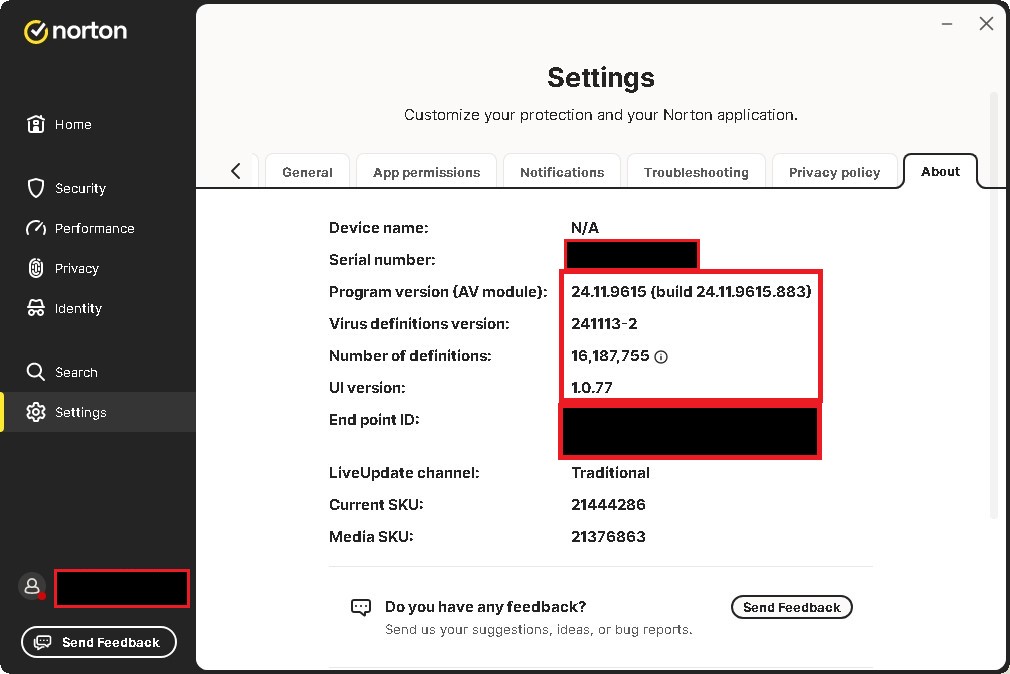
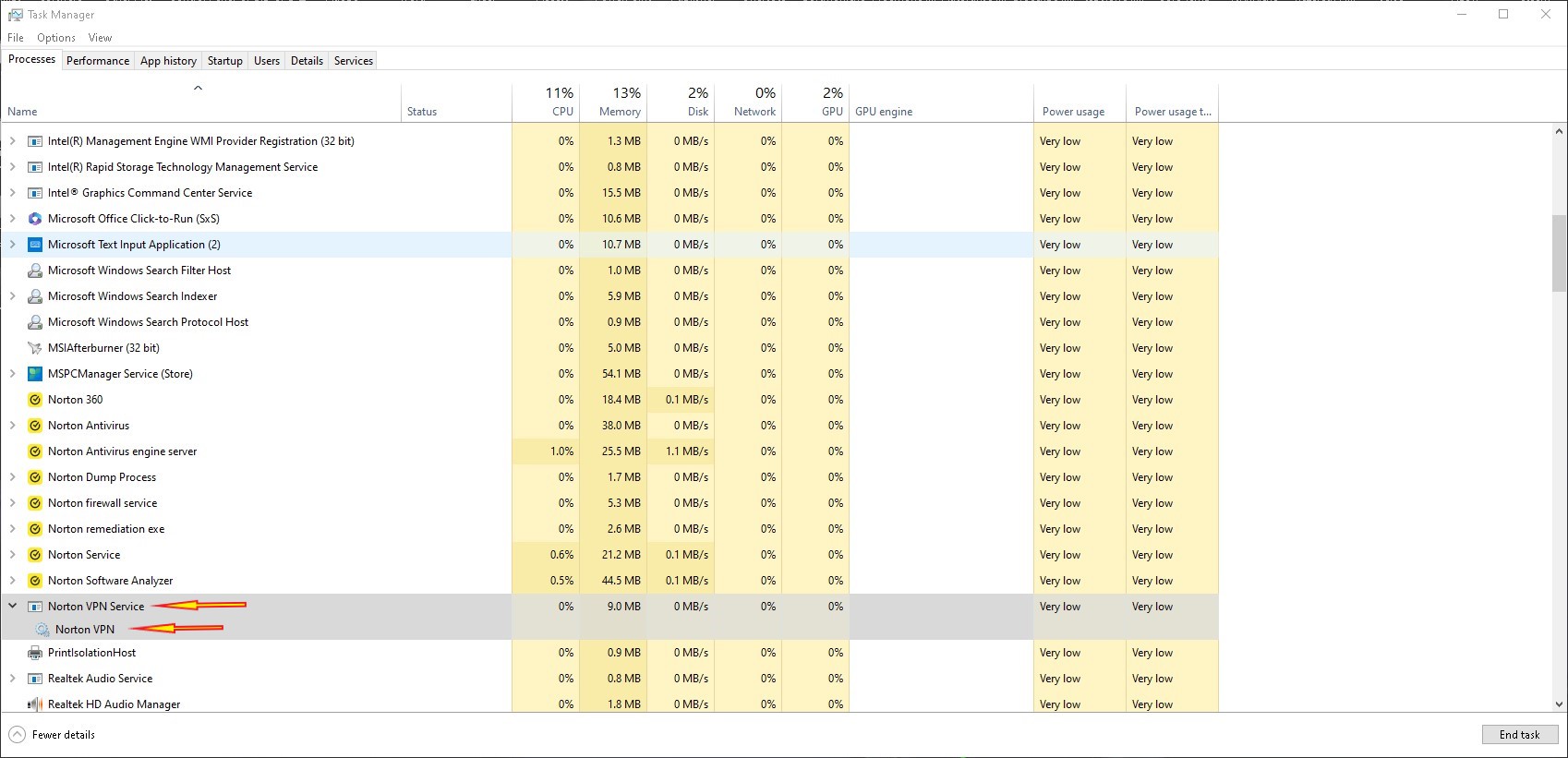

Will monitor how this build acts throughout the day today.
SA
1 Like
Bonjour,
Je viens de recevoir la dernière mise à jour de version 24.11.9615 (version 24.11.9615.883)
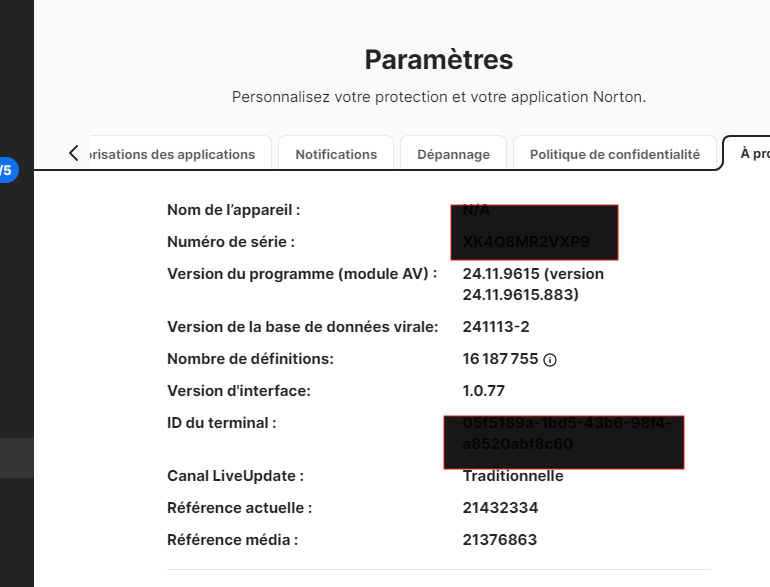
Je précise que j’ai redémarré mon pc comme le demandait Norton puis j’ai effectué une mise à jour manuelle de Norton.
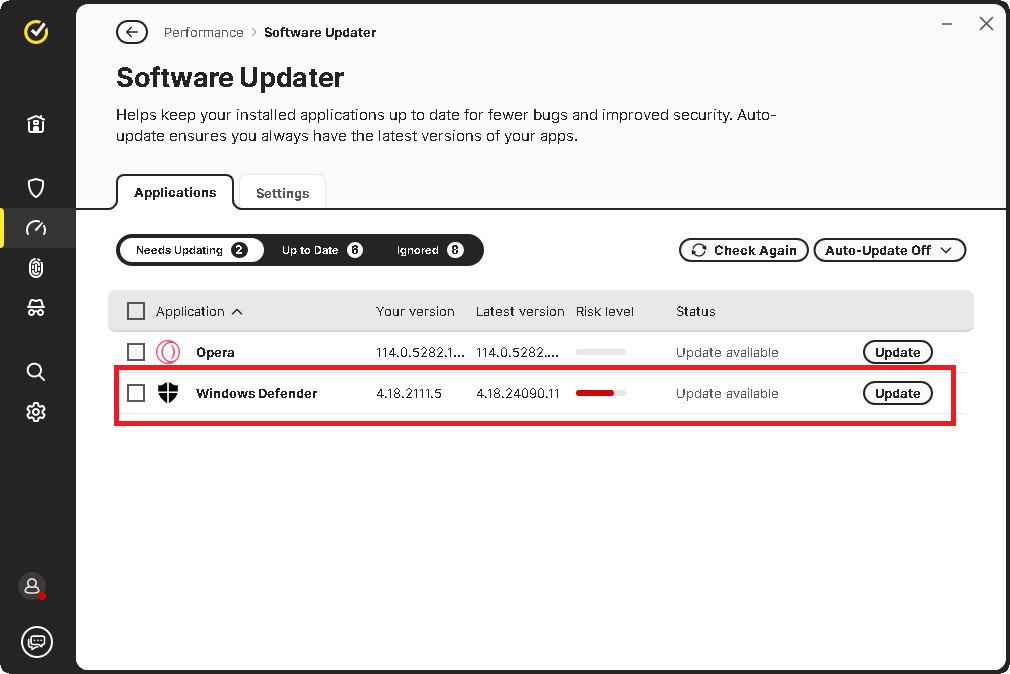
Je constate avec surprise que Norton me demande de mettre à jour Windows Defender (voir image ci-dessous :
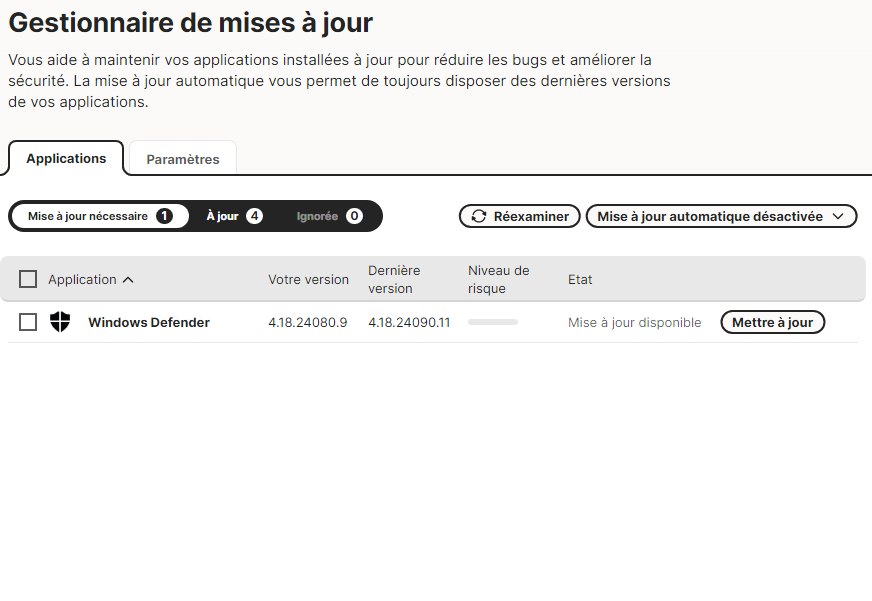
Je suppose qu’il s’agit d’une “anomalie” que je vais ignorer.
Je précise que dans le centre de sécurité Windows Norton 360 apparaît bien comme étant activé et opérationnel.
I have software updater disabled so I cannot confirm. Anyone else seeing this?
Edited:
Zero changes to firewall rules being able to edit.
Opening the feature for browser extensions now just freezes, cannot go back to the previous page, must close the UI entirely
In the UI password manager now shows installed where it did not in the previous build
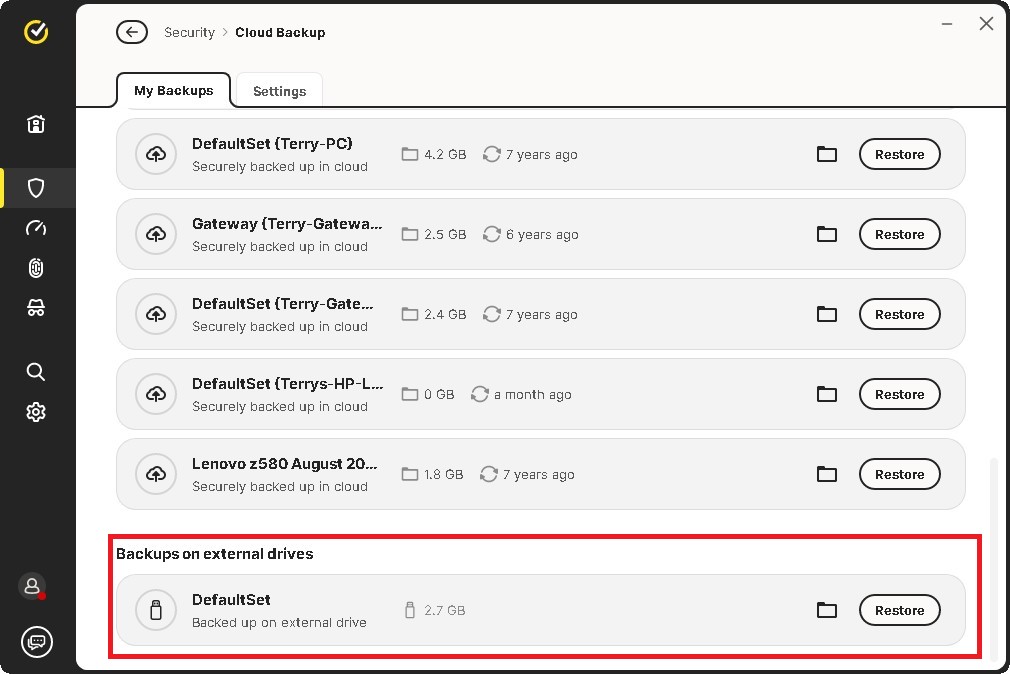
Backup now DOES show external drives: THANK YOU NORTON
SA
1 Like
Pour information, je n’ai pas modifié les paramètres par défaut du gestionnaire de mises à jour
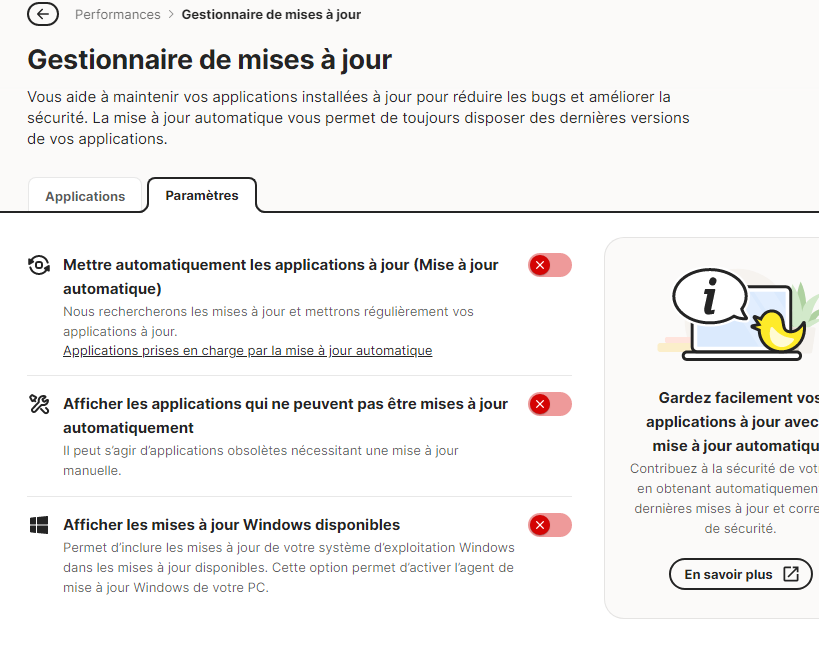
C’est étrange.
Merci pour toutes ses précieuses informations.
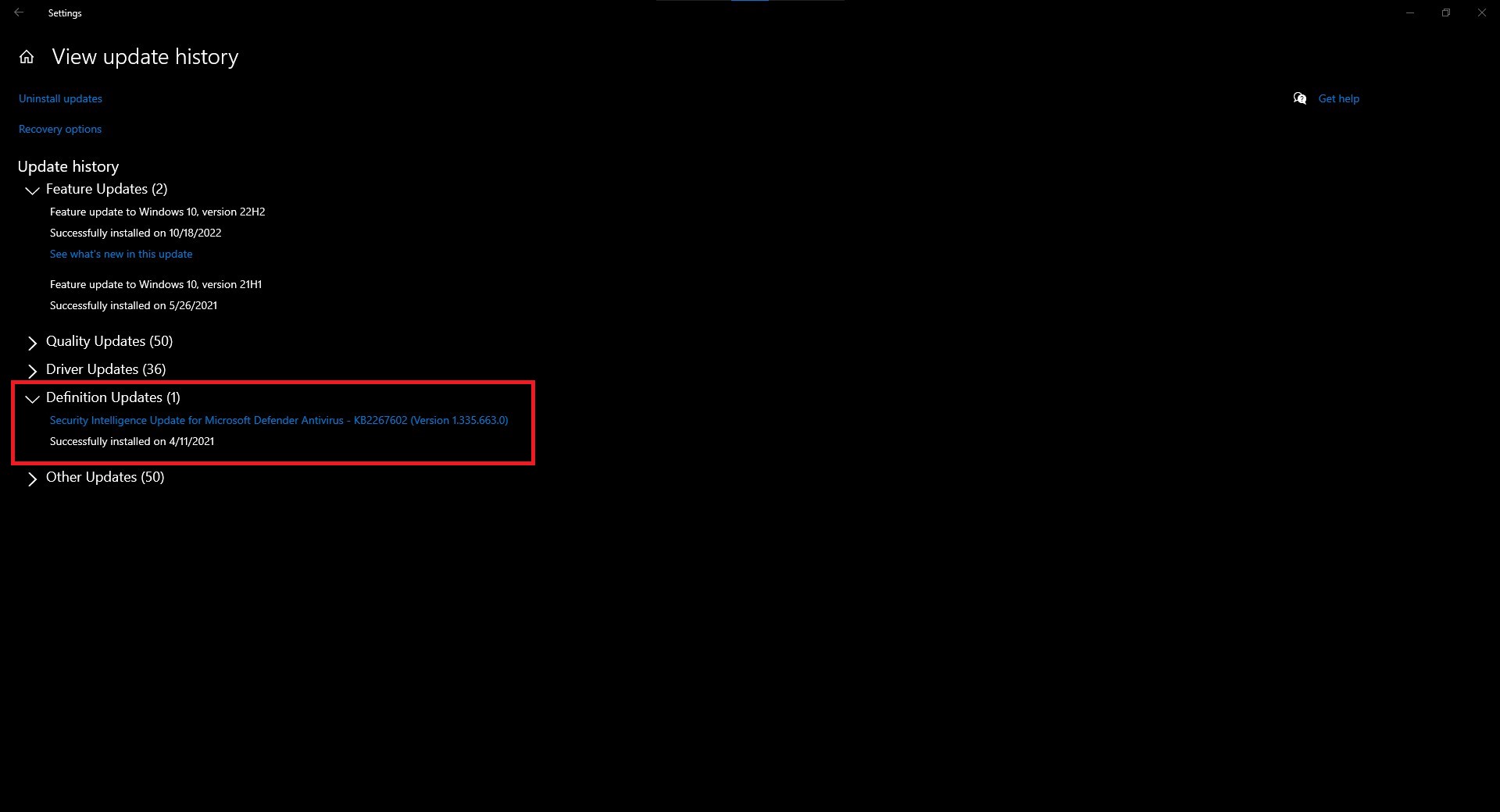
Well, well!! The Windows Defender software updater thingy has appeared my side. Its bogus per my screenshots. November updates were installed two days ago. WD is up to date. Opera checks every time I open it for updates. It too is also up to date.
SA
Je me sens moins seule 
Je pense que cette petite “anomalie” sera corrigée 
Another update for the latest release. Apparently this release now decides to change the settings in Windows Services for the VPN back to “automatic start” when I had changed it to “manual” more than 2 hours ago. I’ve been away until a few minutes ago when I decided to check again just for the sake of doing so. Personally, this has to stop. There wasn’t another version update which would over write this setting in services. So now, I DON’T have any control of what I want to load and don’t yet again. Fix one thing and screw up another. I do NOT load any VPN with Windows boot, never have, never will.
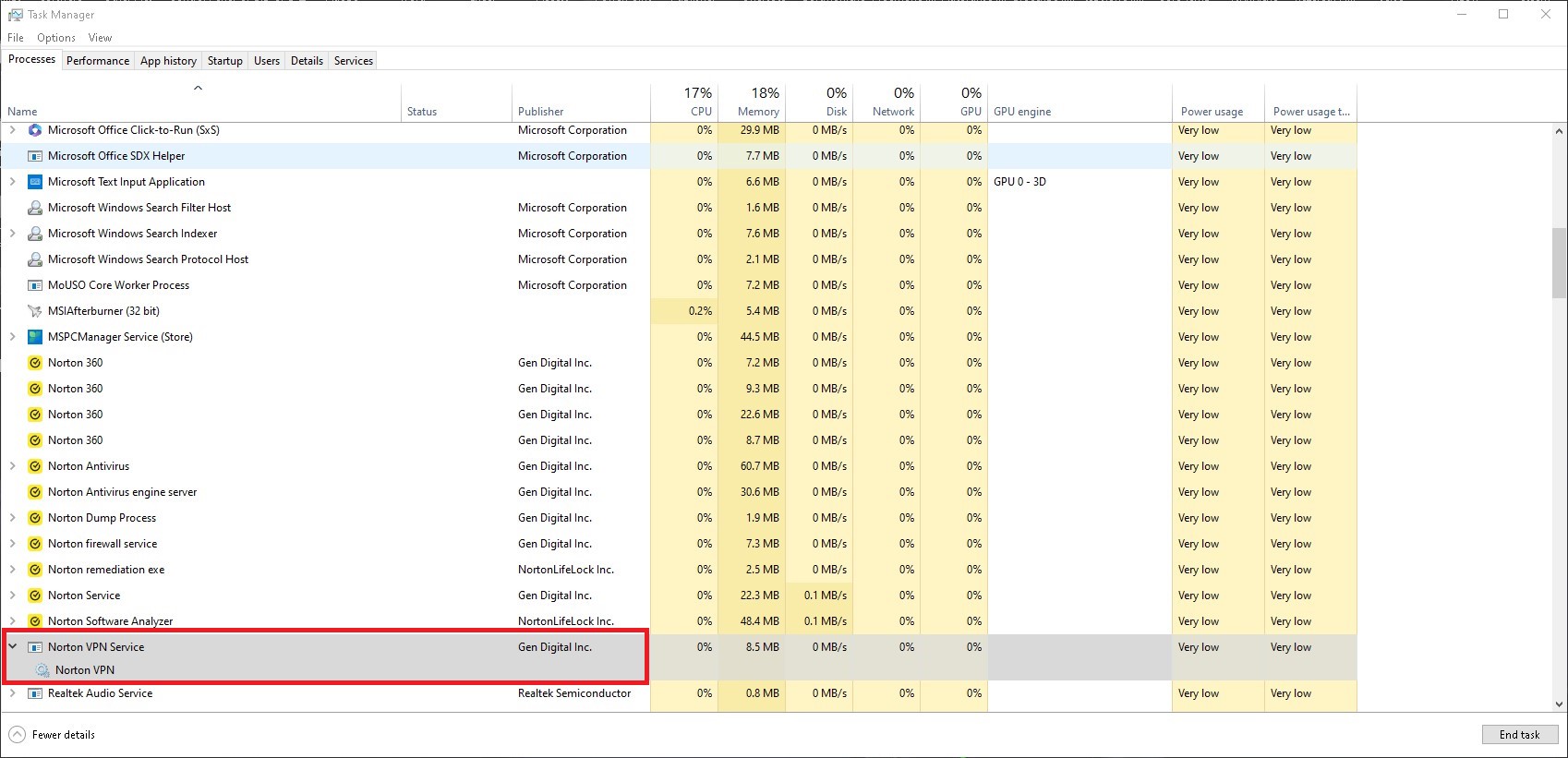
SA
Norton now uses Avast scanning engine? 
Why is it now necessary to restart the computer after updating the new version of the program? Can’t it be like it used to be, where the program would update without having to restart the PC?
1 Like
Network scanning by New Ver 24 N360 is mimicing characteristics of “ET Worm TheMoon.Linksys.Router 1” and triggering a False Positive response on my Ubiquiti UDM SE router alerting me of a network intrusion attemp. This is a False Positive many other Ubiquiti router owners are experiencing with the new 360 update. There are also posts on this Norton Community Forum under ET Worm describing this false positive problem.
I can confirm that this is Norton 360 causing a false positive of the ET Worm. Checking my N360 activity log shows the very first activity after the V24 N360 install on Nov 11 at 8:32 AM as “Connected to Network Network”. The very 1st UDM SE router message of a network problem “Intrusion Detected and Blocked” was at 8:35 AM on Nov 11 and described the intrusion as ET Worm as noted above. I believe in a court of law the phrase to use would be “Norton, You are Guilty!!!”. Do any Norton employees monitor this forum and step up and contact Ubiquiti and work together to resolve this situation? Having a false positive like this of a serious virus is nothing to take lightly. We all depend on the accuracy and reliability of our systems to detect truly serious situations. Problems like this only undermine confidence in the tools we use to stay safe. If someone knows how to put this on Ubiquiti’s and Norton’s to-do list please do so.
In addition this problem is causing my Live Update feature to not work properly. Apparently I am still getting automatic virus definition updates but the “Check Now” button under live updates is greyed out and I can’t manually get a live update because my router is blocking some Norton features because it is mimicing a threat. I never had this kind of problem with version 22 or any other version. Myself and others experiencing this problem paid for a fully functioning application and not a new product version with bugs that prevent full use of the product.
@ksiera1 Not a lot of users here on the forums know of nor would understand what the Ubiguiti device you are using does. You actually have an enterprise grade appliance in a non-enterprise environment.
PoE ( power over ethernet) is one feature that in itself will cause issues. This appliance also runs its own version of protection. Here are some of its features that I am 100% sure are causing conflicts with your Norton product.
Mechanical
Dimensions 442.4 x 43.7 x 285.6 mm (17.4 x 1.7 x 11.2")
Weight 5 kg (10.9 lb)
Enclosure material Aluminium CNC, SGCC steel
Mount material SGCC steel
Hardware
Processor Quad-core ARM® Cortex®-A57 at 1.7 GHz
System memory 4 GB DDR4
On-board storage 16 GB eMMC
Integrated 128 GB SSD
Management interface Ethernet
Bluetooth
Networking interface LAN:
(8) GbE RJ45 ports
(1) 10G SFP+ port
WAN:
(1) 2.5 GbE RJ45 port
(1) 10G SFP+ port
PoE interface (6) PoE (Pair A 1, 2+; 3, 6-)
(2) PoE+ (Pair A 1, 2+; 3, 6-)
IDS/IPS throughput 3.5 Gbps*
*Measured with iPerf3 on a DHCP network. Performance may be reduced with PPPoE depending on ISP implementation.
Power method (1) Universal AC input, 100—240V AC, 4.4A Max., 50/60 Hz
(1) USP-RPS DC input, 52V DC, 3.94A
Power supply AC/DC, internal, 240W
Supported voltage range 100—240V AC
Max. power consumption 50W (Excluding PoE output)
PoE budget 180W
Max. PoE wattage per port by PSE PoE: 15.4W
PoE+: 30W
Voltage range PoE mode PoE: 44—57V
PoE+: 50—57V
ESD/EMP protection Air: ± 15kV, contact: ± 8kV
LCM display (1) 1.3" touchscreen
Button Factory reset
Ambient operating temperature -10 to 40° C (14 to 104° F)
Ambient operating humidity 5 to 95% noncondensing
Certifications CE, FCC, IC
Gateway Features
Performance Redundant WAN with failover and load balancing
WiFi QoS with UniFi APs
Application, domain, and country-based QoS
Application and device type identification
Additional internet failover with LTE Backup
Internet quality and outage reporting
Next-generation security Application-aware firewall rules
Signature-based IPS/IDS threat detection
Content, country, domain, and ad filtering
VLAN/subnet-based traffic segmentation
Full stateful firewall
Advanced networking License-free SD-WAN
WireGuard, L2TP and OpenVPN server
OpenVPN client
OpenVPN and IPsec site-to-site VPN
One-click Teleport and Identity VPN
Policy-based WAN and VPN routing
DHCP relay
Customizable DHCP server
IGMP proxy
SA
1 Like
yes
the Norton VPN Service is installed even if you don´t use it.


Fun fact …
If I use the VPN with my 100 Mbit connection, I will get around 60 Mbit.
If I use the VPN with Ad Tracker Blocking “on”, I will get around 75-80 Mbit.
