@SoulAsylum - I love your post above, especially paragraph #2.
If you read my post up half a dozen or so where I tagged you, you’ll know I had support doing remote desktop (Tier 2). He admitted all the entry’s for UDP (17) should not be there, but didn’t have a single clue on how to address the several problems I have. I will post again after next remote session before mid week hopefully.
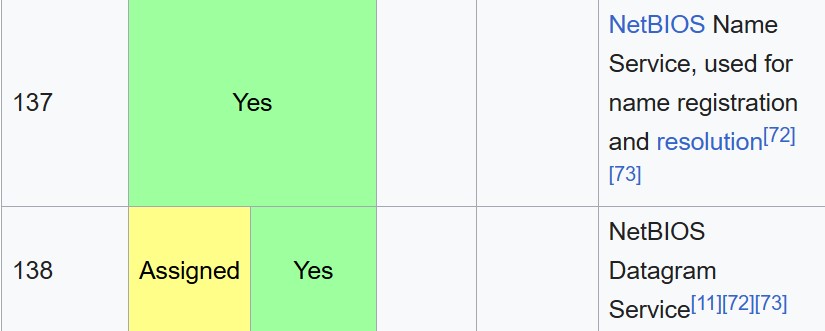
Yes I read your post. Agreeing with it in my post earlier. For the record with the UDP 17 issue. Here is a listing of ALL ports assigned by IANA:
UDP(17) is just a preferred delivery “protocol” being used, as it is bi-directional, random ports appears to be the other hard coded “fast time to delivery” aspect of what is being seen. Nothing we can do even to prevent the logging though. Not that I can find. What I have tested that can be done entirely disabled the internet connectivity on my testing device.
I did find a very old post where this appeared for at least one Norton user in 2013 yet went unanswered.
Another older post is here from 2014: Also unanswered
Another from 2015:
In the above older posts the issue appears to be UDP 17 being rejected, now its being utilized and logged. Amazing changes!!
SA
1 Like
@SoulAsylum - That’s one handy chart you found at wiki. I’m pretty good with Windows computers since I started back with Win 98SE, but when it comes to Firewalls, I never bothered to learn about them, ports, etc.
SA, you’ve really been keeping busy finding these old posts. I found what I understood of them quite interesting. Thanks for putting them up here.
All I know is with this UDP(17) spamming my history is these are the two ports that seem to repeatedly keep coming up.
I’m a bit baffled that Norton Support Level 2 doesn’t even appear to know what they are, and why they are repeating.
Thank you for sharing the information about Bitdefender and ESET, as well as confirming Norton’s website connection issues.
2 Likes
One of the older posts referenced LLMNR. For those who aren’t familiar with that protocol it performs the following functions: *Vice writing a short novel on it this is a far better read for those interested. In a nutshell it allows DNS packets forming WITHOUT using DNS. It also hosts both IPV4 and IPv6 on a single link. Coupled or hard coded with UDP(17) that accounts for the “Multicast” log entries, constantly bouncing from port to port. SPEED OF DELIVERY while dropping packets and by passing DNS resolution in general.
The Link-Local Multicast Name Resolution (LLMNR) is a protocol based on the Domain Name System (DNS) packet format that allows both IPv4 and IPv6 hosts to perform name resolution for hosts on the same local link. It is included in Windows Vista, Windows Server 2008, Windows 7, Windows 8, Windows 10.[1] It is also implemented by systemd-resolved on Linux.[2] LLMNR is defined in RFC 4795 but was not adopted as an IETF standard.[3]
As of April 2022, Microsoft has begun the process of phasing out both LLMNR and NetBIOS name resolution in favour of mDNS.[4]
Edited **Bottom line is Norton doesn’t want that tinkered with in any manner, thus, its coded as not scalable. Just my educated guess. Norton should prove us wrong on this one.
SA
1 Like
Following up on @SoulAsylum’s reference to MS phasing out NetBIOS. It’s easy to disable NetBIOS over TCP/IP on IPv4, at least in Windows OS through 10. Not sure about Win 11. https://www.youtube.com/watch?v=vLMz-euPgqQ
Cautionary note about Port 138 and tweaking firewall rules (Windows Defender in this example):
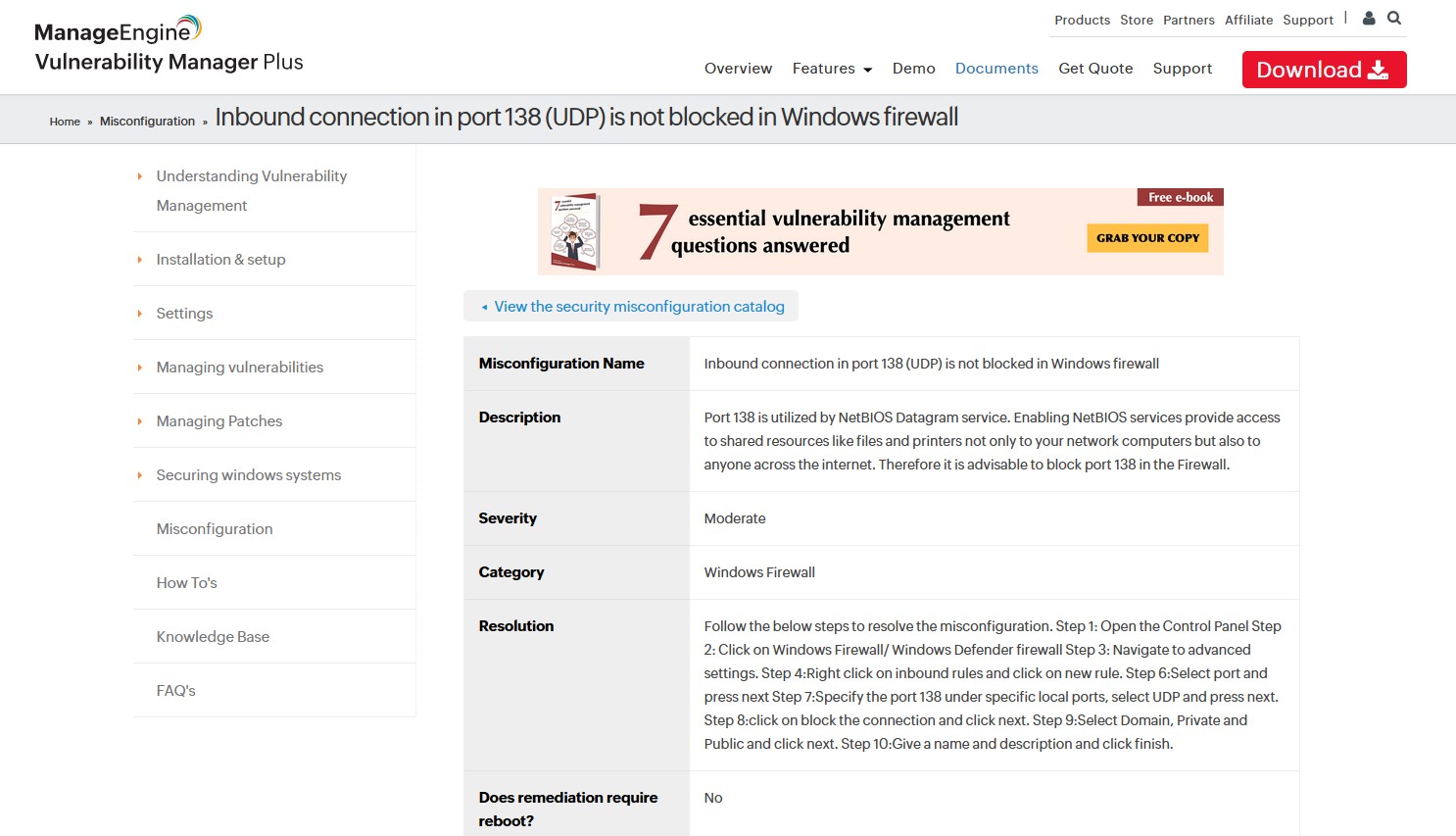
https://www.manageengine.com/vulnerability-management/misconfiguration/windows-firewall/how-to-disable-netbios-port-138-udp-disabling-netbios-datagram-service.html
1 Like
Seems the new versions of N360 are going from bad to worse. Can’t believe 45% memory usage at idle on your system!!!  Will likely fry mine.
Question to all re UDP traffic.
Has anyone tried netstat -aon to identify the process that’s triggering these events? I posted the link to a tutorial video earlier in this thread. I would do this myself but I’m still using V22 so not getting the security history events you’re encountering.
25.1.9816 (build 25.1.9816.0)
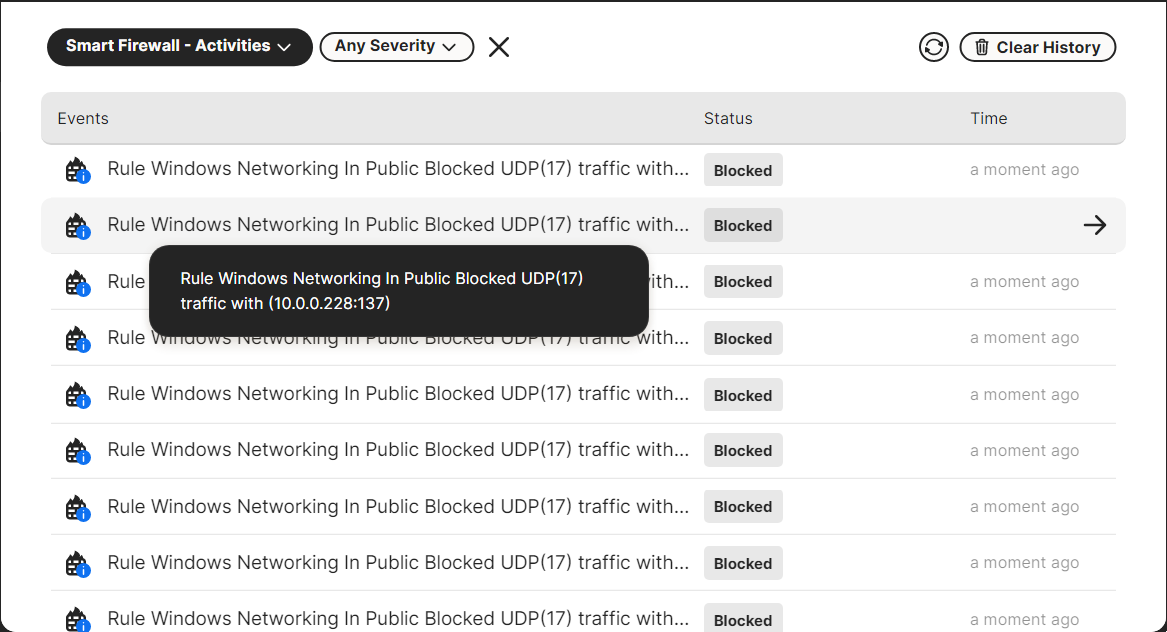
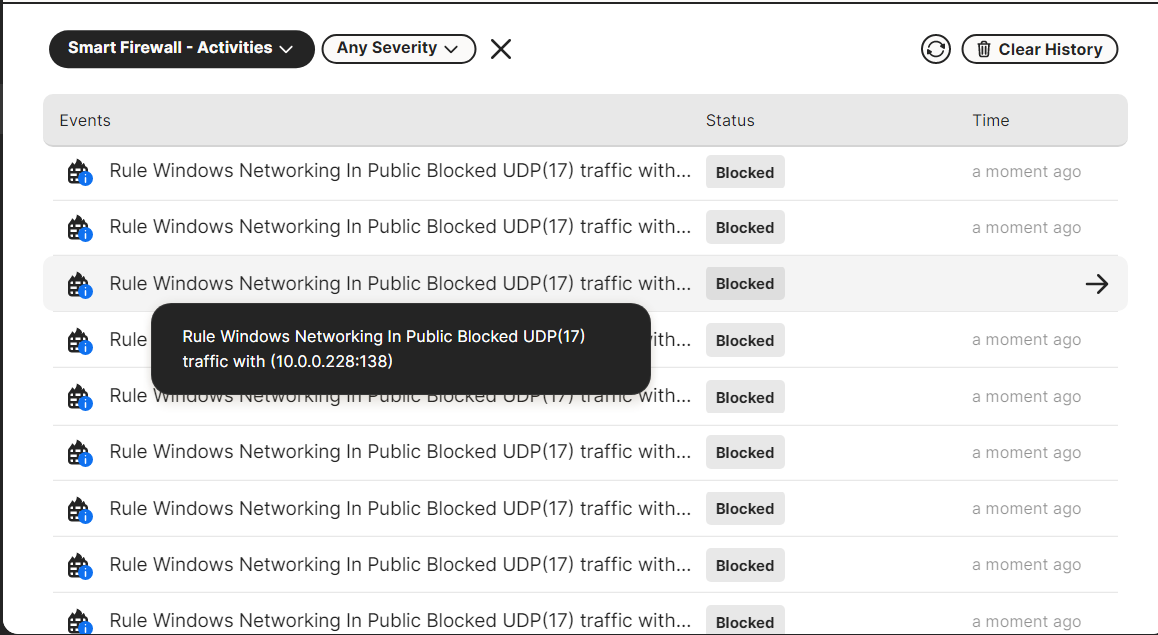
UDP 0.0.0.0:500 : 5944
UDP 0.0.0.0:3702 : 6560
UDP 0.0.0.0:3702 : 6560
UDP 0.0.0.0:3702 : 11040
UDP 0.0.0.0:3702 : 11040
UDP 0.0.0.0:4500 : 5944
UDP 0.0.0.0:5353 : 28168
UDP 0.0.0.0:5353 : 28168
UDP 0.0.0.0:5353 : 2332
UDP 0.0.0.0:5355 : 2332
UDP 0.0.0.0:59424 : 11040
UDP 0.0.0.0:62016 : 6560
UDP 10.0.0.242:137 : 4
UDP 10.0.0.242:138 : 4
UDP 10.0.0.242:1900 : 9484
UDP 10.0.0.242:64347 : 9484
UDP 127.0.0.1:1900 : 9484
UDP 127.0.0.1:49664 127.0.0.1:49664 6040
UDP 127.0.0.1:64348 : 9484
UDP [::]:500 : 5944
UDP [::]:3702 : 6560
UDP [::]:3702 : 6560
UDP [::]:3702 : 11040
UDP [::]:3702 : 11040
UDP [::]:4500 : 5944
UDP [::]:5353 : 28168
UDP [::]:5353 : 2332
UDP [::]:5355 : 2332
UDP [::]:59425 : 11040
UDP [::]:62017 : 6560
UDP [::1]:1900 : 9484
UDP [::1]:64346 : 9484
1 Like
I was having the same issue with the Norton forums. Every once in a while, I could load a page but in general, it was blocked.
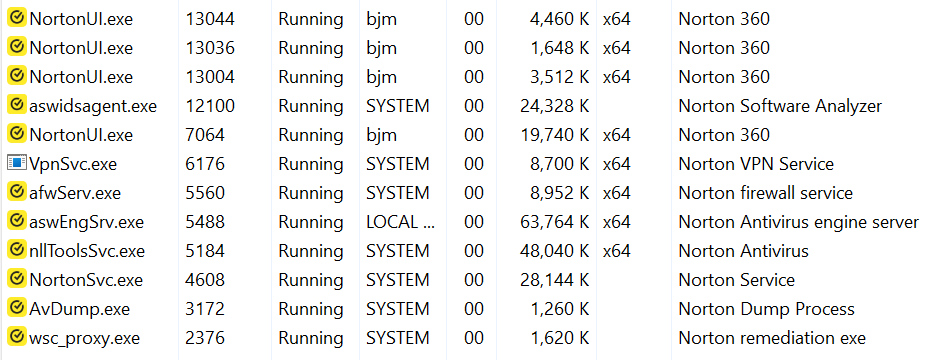
Thanks @bjm One more step needed. My command prompt output looks slightly different than your screenshot but the number after the colon (e.g. 5944 in the first event on your list) should be the process ID. The Details tab in Task Manager will list all the processes running in your computer. Click on the PID to sort the list in numerical order to find the one that matches the netstat -aon output. In my computer, Norton processes are PID 3536 and 11936.
I noticed that your status shows UDP(17) as blocked. Is that by default or did you set a rule? If you set the rule to block the process, have you noticed any problems with how Norton or your network is functioning? This info may be helpful to others who are concerned about this traffic.
Thanks in advance.
1 Like
My guess is high traffic volume with users trying to find answers to questions. I could be wrong but the timing of this problem seems to coincide with the introduction of V25.
@Puzzler – I see what @bjm did with the BLOCKED UDP(17) (below); but unless I’m missing something, it’s still constantly repeating in his security history either way. Guys, am I missing something?
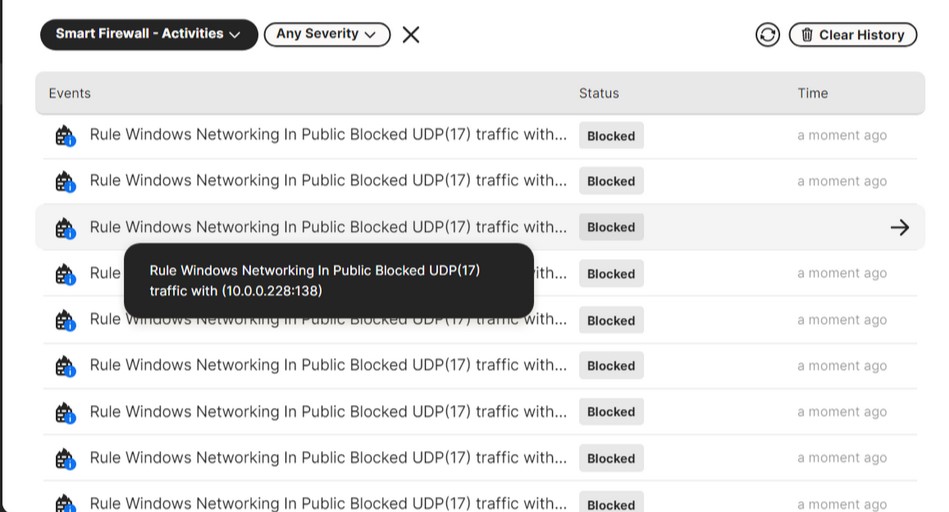
“Blocked” must be by whatever…other than Smart Firewall → Reset default settings…after v25 arrived. I’ve not created/made a rule. I’m always Smart Firewall → Smart Mode.
@majorbuzz I don’t think you’re missing anything. Reading between the lines posted by @SoulAsylum I gather this event reporting is hard coded in N360 and can’t be turned off.
Smart firewall has 2 default settings for udp17
Blocked for public network setting
Allow for private network setting
Thanks.
@Puzzler - Thank you sir. I’m very nosy, and please don’t forget, I have at least one guy on their support team totally stumped. You know, it makes me wonder how many people using N360 just run it and never do anything else. They would never know certain things unless they stumbled across the history settings.
I will say one thing has me extremely perplexed. I’ve been using Norton since 2000. Just imagine how many full system scans I’ve done since then with various versions and on 3 different computers. Yet last night for the first time running a full system scan using V25-it claims that two favorite (bookmarked) websites I’ve had for YEARS were malicious and quarantined them both. Do I believe after all these years they were malicious, and how exactly did Norton know this? They were for a retail store.
Thanks @bjm Very helpful. It looks like none of your UDP traffic is related to N360.
@minddrifter clarified that UDP is blocked in pubic network and allowed in private. That makes sense since private network is inherently less secure.
I’m guessing that Norton decided to include UDP alerts so people are aware of the traffic being allowed and blocked. Maybe in this age of IOT device apps with weak security using UDP and IOT devices not isolated their own separate network, Norton decided to include these alerts. This is all conjecture though. It’s a big 
The problem is that the limited UDP information that appears in the security history isn’t very useful.
Again. Thanks for your help!
Comprehensive info on Windows protocols, network ports and services:
This article discusses the required network ports, protocols, and services that are used by Microsoft client and server operating systems, server-based programs, and their subcomponents in the Microsoft Windows Server system. Administrators and support professionals may use this article as a roadmap to determine which ports and protocols Microsoft operating systems and programs require for network connectivity in a segmented network.